
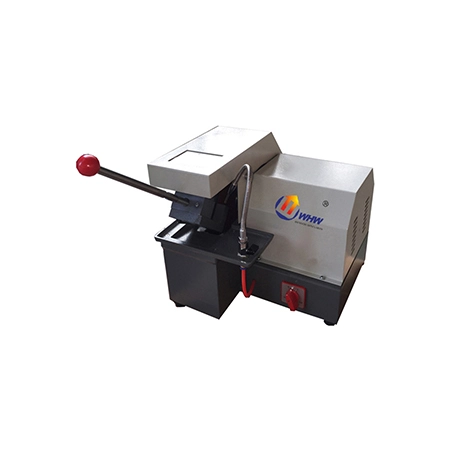
Product photography / image presentation, not a live operation
Cutting machines
Q-2
Manual metallographic cutting machine
The Q-2 is a manual abrasive-wheel cutter for preparing metallographic specimens from metals and selected non-metallic materials.
TECHNICAL DATA
Technical specifications
Specifications are compiled from published references. Confirm configuration, options and delivery requirements with an engineer.
| Parameter | Specification / configuration |
|---|---|
| Model | Q-2 |
| Maximum cutting diameter | Φ35mm |
| Cut-off wheel dimensions | Φ250*1.5*Φ32mm |
| Cutting modes | manual |
| Spindle speed | 2800r/min |
| Motor power | 1.1KW |
| Machine configuration | Benchtop |
| Power supply | 380V |
| Weight | 60KG |
Specifications checked 2026-11-12 based on the archived public product page.
Working principle
How precision sectioning works
A rotating cut-off wheel advances into the specimen under flood coolant, keeping heat and deformation low enough to preserve the true section.
- Wheel matched to material
- 4-channel coolant
- Low feed rate protects edges
Product overview
The Q-2 sections specimens using a thin abrasive wheel rotating at high speed. It is intended for routine cutting of metal materials in metallographic laboratories and can also cut non-metallic materials such as plastics and rubber tubing. A cooling device can be fitted to carry away cutting heat and help limit heat-related changes to the specimen during preparation.
Understand the instrument in context
Select the instrument together with the material, specimen dimensions, target surface and downstream inspection task.
Explore preparation workflows →Questions before selecting
What specimen information should I provide?
Provide material, geometry, dimensions, target cross-section, batch size, current method and the problem to solve.
Are these specifications the final configuration?
The page supports preliminary selection. Confirm fixtures, consumables, power supply and optional features in the technical proposal.
Can I view an instrument demonstration?
The viewer supports image sequences, animated images and video. Image sequences show appearance and structure; refer to validated videos or instructions for operation.